Not a solver. A coach.
Solvers are useful. They are also sterile little math caves. Sharp is built for the way live players ask questions: incomplete notes, remembered stack sizes, opponent reads, and pressure.
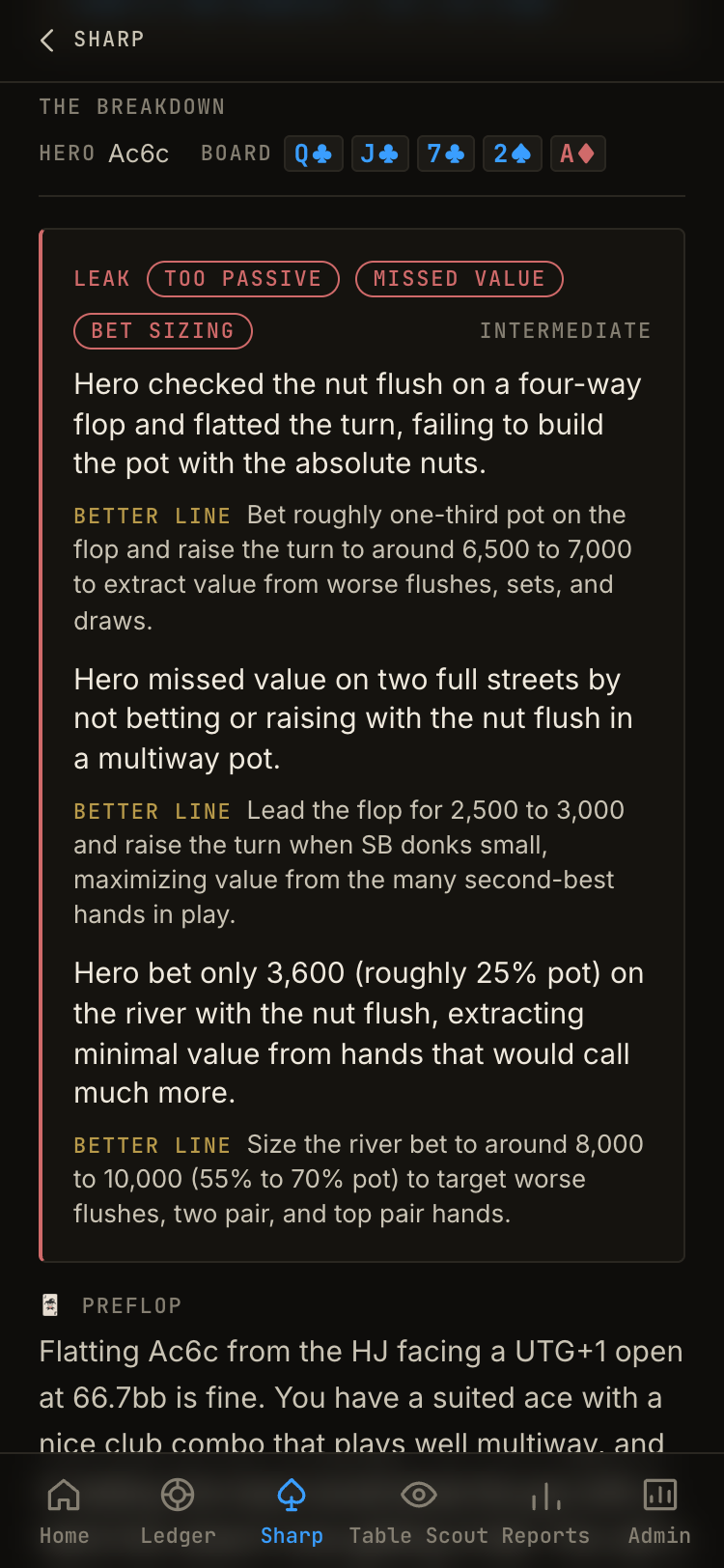
Street-by-street hand review
Preflop through river, with alternatives and the reasoning behind each line.
Strategy Q&A
Ask about NLHE, PLO, tournaments, ICM, cash, mixed games, or the spot that annoyed you all drive home.
Leak identification
Sharp remembers submitted hands and starts surfacing patterns across them.
Built for real poker language.
You do not need a perfect hand-history export. Describe the hand clearly enough and Sharp turns it into something reviewable.
Plain-English input
“2/5 NLHE, $900 effective, loose reg opens cutoff...” is enough to start.
Tournament context
Stack depth, bubble pressure, payout jumps, table image, and player type matter.
Next concept
The goal is not just one answer. It is knowing what to study next.
The web app is where your hands stop disappearing.
Sharp runs in the web app at app.pokeragentai.com. It is the dashboard over the work you have already done: saved hands, leak patterns, study queues, and the spots worth revisiting before they become expensive habits. Drop a hand in the app and it breaks it down and saves it.
Saved hand library
Every analyzed hand becomes reviewable later, with the original spot, structured action, board context, villain reads, and Sharp's breakdown attached.
Leak dashboard
Filter recurring issues by category, spot, street, and position. One punt is a story. Five similar punts is a leak.
Ask Sharp about this hand
Tap a saved hand in the app, start study mode, then continue the follow-up right there with the full hand context already loaded.
Drop a hand. Keep the memory.
Sharp works because it fits how you actually study. Drop the hand in the app when the spot is fresh and Sharp breaks it down and saves it. Open your hand log when you want to review your library, see leak tags, delete bad saves, or pick the next hand to study.
1. Drop a hand into Sharp in the app.
2. Sharp repairs missing details, confirms the spot, analyzes it, and saves it.
3. Open your hand log in the app to review hands, leaks, and study prompts.
Where Sharp fits in the operating system.
Table Scout prepares you before the session. Ledger measures what happened after. Sharp is where the decision gets sharpened, then stored so the lesson does not vanish by the next orbit.
AI poker coach for players who need answers between sessions, not next month. FAQ.
What is an AI poker coach?
An AI poker coach is software that helps review hands, explain strategic concepts, identify leaks, and guide study decisions.
Is Sharp a GTO solver?
No. Sharp is a coach-style review tool. It can discuss theory, but it is built around practical hand review and player development.
Can I use Sharp while playing?
Use it for review, prep, and study. Do not use real-time assistance where venues or sites prohibit it.
Do I need formatted hand histories?
No. Sharp is designed for plain-English poker hands and follow-up questions.
Do I need to download anything?
No. It runs in the web app at app.pokeragentai.com. Sign in with your email, no password, and add it to your home screen for one-tap access.
Where do my analyzed hands live?
In your Sharp hand log in the app, searchable with leak tags and study prompts.
Keep building the edge.
These pages are wired together because the product is wired together: prepare, improve, measure.
Poker Session Tracker
Ledger: track real results
RELATEDWeekly Poker Performance Report
Turn sessions into a review loop
RELATEDPoker Hand History Analyzer
Break down hands street by street
RELATEDPoker Player Lookup
Table Scout: research opponents
RELATEDBest Poker Tracking Apps
Compare tools for live players
RELATEDHow to Review a Poker Session
Build the post-session habit
One operating system for serious poker players.
Prepare with Table Scout. Improve with Sharp. Measure with Ledger. That is the loop.